
IPTV for USA Homes 2026: 8 Setups Matched to How You Watch
The right IPTV for USA setup depends less on channel counts than on your household. A sports family needs different connections, speed and devices than a solo student or a multilingual home. This guide matches eight household types to the plan, hardware and checks that actually fit them.
All of these options sit under the same umbrella: streaming television delivered over your broadband line rather than a cable or satellite feed. What changes from home to home is how many screens run at once and which channels matter.
Start with your speed. Allow roughly 25 Mbps per 4K stream, and check yours against the FCC broadband speed guide. Every IPTV for USA recommendation below assumes you have that headroom.
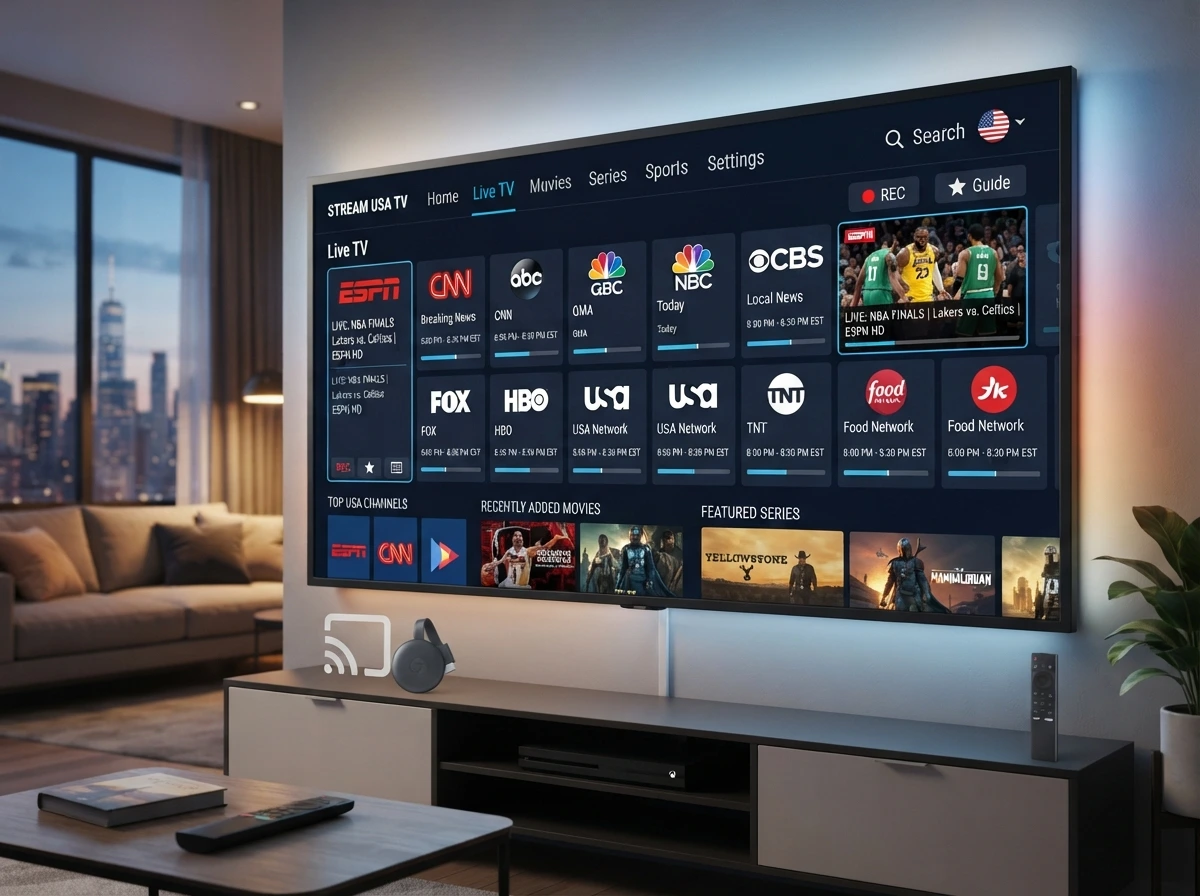
The 8 IPTV for USA Household Types
- 1. Sports households watching live games every week
- 2. Families with kids on several screens at once
- 3. Multilingual homes wanting international channels
- 4. Relocated fans following an out-of-state team
- 5. Solo viewers and students on a tight budget
- 6. Snowbirds and RV travelers moving between states
- 7. Older viewers who want a cable-style remote
- 8. Movie and series watchers living in the on-demand library
How to Read These IPTV for USA Setups
Each profile below names three things: how many simultaneous connections you need, the plan length that makes sense, and the device that causes the fewest problems.
A connection is one screen playing at the same moment, not one device installed. You can install an IPTV for USA subscription on the TV, a tablet and a phone; your plan only limits how many play together.
1. IPTV for USA Sports Households
Sport is the hardest test any service faces, because everyone opens the same channel within seconds of kickoff.
- Connections: 2–3, so a game and a second screen can run together
- Plan: start monthly, upgrade after one busy Sunday
- Device: Fire TV Stick 4K on Ethernet, or Apple TV 4K
What sports fans should verify in an IPTV for USA trial
Watch a full quarter at peak time, check 50–60fps on fast motion, look for backup feeds on marquee games, and confirm out-of-market coverage before paying.
2. IPTV for USA Families With Kids
Family homes fail on bandwidth rather than content. Three 4K streams need around 75 Mbps, and Wi-Fi in a large house rarely delivers that to every room.
- Connections: 3, so nobody negotiates over the remote
- Plan: six or twelve months once tested, for the lower monthly cost
- Device: one wired main TV, plus Smart TV apps in bedrooms
Check the kids channels and catch-up during the trial. A family IPTV for USA plan lives or dies on whether the same shows are there every afternoon.
3. IPTV for USA Multilingual Households
More than one in five people in the country speaks a language other than English at home, according to Census data on language use in American homes. Cable serves them with expensive add-on packs; independent lineups usually include them.
- Connections: 2–3, since households often watch in two languages
- Plan: monthly first, to verify the exact channels
- Device: any 4K streaming stick or Smart TV app
Verify channel by channel rather than trusting a pack name. That single check is the most useful thing multilingual homes can do with an IPTV for USA trial.
4. IPTV for USA Setups for Relocated Fans
If you moved from Ohio to Arizona and still follow your old teams, cable will only show you the local market. This is where internet television pulls ahead.
- Connections: 1–2 for most single-team households
- Plan: monthly during your team’s season, annual if you watch year-round
- Device: Fire TV Stick 4K, wired where possible
Ask support directly whether the regional network carrying your team is in the lineup before buying any IPTV for USA plan.
5. IPTV for USA Plans for Solo Viewers and Students
One screen, one budget. This is the simplest case and the cheapest.
- Connections: 1 is genuinely enough
- Plan: monthly, so nothing is wasted over summer breaks
- Device: whatever you own; a 4K stick if the TV is older
A single-connection IPTV for USA subscription costs less than two movie tickets a month, and free ad-supported services such as Pluto TV or Tubi can fill the gaps at no cost.
6. IPTV for USA for Snowbirds and RV Travelers
Moving between states is where internet TV beats a satellite dish: the service follows the connection, not the address.
- Connections: 2, so home and the road can both be signed in
- Plan: annual, since you are paying for portability
- Device: a streaming stick that fits in a glovebox
Expect variable performance on campground Wi-Fi and 5G hotspots. Drop to 1080p rather than 4K on weak connections, and an IPTV for USA stream will usually hold steady.
7. IPTV for USA Setups for Older Viewers
For anyone who wants television to behave like television, the device matters more than the plan.
- Connections: 1–2
- Plan: annual, to avoid monthly admin
- Device: a MAG or Formuler box with a numbered remote
Set up a short favorites list of ten channels and set the guide to the correct time zone. Done that way, an IPTV for USA box feels no different from the cable box it replaced.
8. IPTV for USA Homes That Live in the Movie Library
If most of your viewing is films and box sets, judge the on-demand section rather than the channel count. Pre-encoded titles are also the fairest test of whether 4K is genuine, because nothing is being compressed live.
Look for hundreds of native Ultra HD titles rather than a headline number, and check that box sets are complete before you commit to a year.
- Connections: 1–2
- Plan: annual, since libraries reward long use
- Device: Apple TV 4K for the best HDR handling
IPTV for USA Plans Matched to Each Household
| Household | Connections | Best plan | Device |
|---|---|---|---|
| Sports fans | 2–3 | Monthly, then 6 months | Fire TV Stick 4K, wired |
| Families with kids | 3 | 6 or 12 months | Wired TV + Smart TV apps |
| Multilingual homes | 2–3 | Monthly, then annual | Any 4K stick |
| Relocated fans | 1–2 | Seasonal monthly | Fire TV Stick 4K |
| Solo and students | 1 | Monthly | Existing device |
| Snowbirds and RV | 2 | 12 months | Portable stick |
| Older viewers | 1–2 | 12 months | MAG or Formuler box |
| Movie watchers | 1–2 | 12 months | Apple TV 4K |
IPTV for USA Pricing by Plan Length
Fair independent pricing runs $8–$15 a month monthly, falling to $5–$8 on annual plans. Our plans line up with the household table above.
| Plan | Price | Per month | Connections | Best for |
|---|---|---|---|---|
| 1 month | $14.99 | $14.99 | 1 | Solo viewers, testing |
| 6 months | $49.99 | $8.33 | 2 | Couples, relocated fans |
| 12 months | $79.99 | $6.67 | 3 | Families, sports homes |
Cheap is a warning, not a bargain. An IPTV for USA offer far below this band cannot pay for servers that survive a Sunday of NFL.
Internet Speed for Each IPTV for USA Household
- One 4K screen: about 25 Mbps
- Two screens: about 50 Mbps
- Three screens: about 75 Mbps, ideally on fiber or cable broadband
- 1080p instead of 4K: roughly 10 Mbps per screen
Wired Ethernet on the main television solves most buffering complaints about IPTV for USA streams, and a $15 adapter is cheaper than upgrading your internet plan.
Is IPTV for USA Viewing Legal?
The technology is legal. What matters is whether a provider holds rights to the channels it streams. Licensed live TV apps do; many independent services do not, and rights holders enforce copyrights through takedowns.
Signals of a more responsible operator include a published copyright policy, real terms of service and card or PayPal payment. This is general information, not legal advice.
Red Flags Whatever Your Household
- Lifetime plans: nobody funds servers forever from one payment
- Crypto-only payment with no refund path
- No refund policy or terms published anywhere
- “Thousands of 4K channels” that turn out to be HD feeds
- Connection limits left vague until after you pay
Find your setup on us. Twenty-four hours of full access, every channel including 4K, no card required and no automatic renewal. Tell support your household size and they will match the plan.
Start Free TrialWhat Every IPTV for USA Plan Should Include
Whatever your household type, the package itself should cover these without surcharges:
- US local and national networks from many markets
- Sports and PPV events inside the base price
- An on-demand library of movies and series in HD and 4K
- A seven-day program guide with catch-up on key channels
- International packs for multilingual homes
- Setup help for every device you own
If any of those is sold separately, compare the real total rather than the advertised IPTV for USA price.
Setting Up IPTV for USA on Your Device
Activation takes five to ten minutes. Credentials arrive by email with a guide for your hardware.
- Fire TV Stick 4K: install a player, sign in, set output to 4K
- Apple TV 4K: add a player from the App Store and load your playlist
- Samsung, LG or Android TV: install a player from the TV store
- MAG or Formuler box: enter the portal address in settings
Then set the guide time zone and build a favorites list. Five minutes of tidying makes an IPTV for USA lineup feel familiar to everyone in the house, not just whoever installed it.
IPTV for USA vs Cable and Live TV Apps
| Independent IPTV | Cable | Licensed live TV app | |
|---|---|---|---|
| Monthly cost | $7–$15 | $120+ | $75–$90 |
| Contract | None | 12–24 months | Monthly |
| Screens included | 1–3 by plan | Per box rented | 2–3 |
| International channels | Extensive | Add-on packs | Limited |
| Licensing certainty | Varies | High | High |
Cable and licensed apps win on polish and certainty. An IPTV for USA plan wins on price, screens and the absence of a contract.
How to Test IPTV for USA in One Evening
- Run it at peak time, not at midnight
- Play as many streams as your household really needs, at once
- Check your must-watch channels, including locals
- Open stream statistics on a 4K channel; look for 3840×2160
- Message support once and time the reply
Testing every connection at the same time is the step most buyers skip, and it is the one that predicts how an IPTV for USA plan behaves on a Friday night.
Mistakes Households Make With IPTV for USA
- Buying one connection for a house with three viewers
- Paying annually before a single live game is tested
- Judging by channel count instead of the channels you watch
- Relying on Wi-Fi for the main 4K television
Each of those four mistakes is easy to avoid in the first hour, and each one is the reason a household ends up blaming an IPTV for USA service that was never the problem.
The IPTV for USA Verdict
There is no single best answer, only the setup that fits your home. Count the screens that run at the same time, name the channels you cannot lose, pick the device that suits whoever uses the remote most, and start on a monthly plan.
Get those four right and an IPTV for USA subscription costs a tenth of a cable bill without feeling like a compromise.
IPTV for USA: Frequently Asked Questions
What is the best IPTV for USA viewers?
The best choice depends on your household. Match connections and device to how you watch, then test at peak time on your own connection before paying.
How many connections do I need?
Count screens playing at the same moment. One for solo viewers, two for couples, three for most families.
Is IPTV legal in the USA?
The technology is legal; channel licensing is what matters. Licensed apps hold rights, while many independent services do not. This is not legal advice.
How much does it cost?
Usually $8–$15 monthly, or $5–$8 a month on annual plans. Licensed live TV apps cost $75–$90 a month.
Does it include local channels?
Good lineups carry affiliates from many US markets. Check your own city during the trial and keep an antenna as a backup.
What internet speed do I need?
About 25 Mbps per 4K stream, 10 Mbps for 1080p and 5 Mbps for HD. Wired Ethernet is the most stable.
Can I watch while traveling?
Yes, wherever you have a decent connection. Drop to 1080p on weak hotel or campground Wi-Fi.
Is there a free trial?
Yes. New customers get 24 hours of full access with no card required.
See our full channel lineup, 4K content and current plans on iptv 4k, or message support with your household size for a matched recommendation.